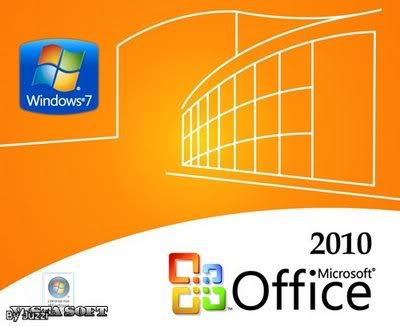
[RS/MF/FS]Microsoft Office 2010 Pro+ Multi Lang Activated
Languages: can be added
Arabic, Dutch, French, English, Italian,Polish, Portuguese, Spanish, + More
Feel free to request a language and I will do my best to get it for you.
Possible available languages:
Chinese,Czech,Danish,Finnish,German,Greek,Hebrew,Hungarian,Japanese,
Korean,Norwegian,Russian,Serbian,Slovak,Swedish,Thai,Turkish
******************************************************************************
Microsoft Office 2010 Professional Plus only 651 MB
Final Retail ISO only 651 MB X86 32-Bit
******************************************************************************
You can find my 64 Here:
[MULTI]Microsoft Office 2010 Select Multi Lang Activated x64
| Code: |
| http://www.warez-bb.org/viewtopic.php?p=44714563#44714563 |
******************************************************************************
100% Active, I test all my uploads & answer all questions possible.
I don't just show you a picture of "a box" and expect you to trust me.
******************************************************************************
| Christos75 wrote: |
 Great work!!! Thank you Pony-!!!!! Great work!!! Thank you Pony-!!!!! |
| MARKMAKAVELI wrote: |
| Absolute legend once again Pony- |
| lrg4you wrote: |
professional post.. professional job
you are awesome man
pony foreva!!! |
| fshiznik717 wrote: |
| awesome post! |
| hoops73 wrote: |
pure genius many thanks for the tools 
it works !! |
| acg1981 wrote: |
| Merci Beaucoup Pony. U d best!!!! |
| deadman12399 wrote: |
| thanks soooo much! and thank you for the guides and links |
******************************************************************************
INSTRUCTION FOR ISO:
Download files and extract.
1)
Burn to ISO install with AUTOPLAY (important).
@@@@@@@@@@@@@@@@@@@@@@@@@@@@@@@@@@@@@@
You can use Power ISO or Magic ISO to burn.
Power ISO
| Code: |
| http://safelinking.net/p/da2e029982 |
Magic ISO
| Code: |
| http://safelinking.net/p/1777a5d48b |
@@@@@@@@@@@@@@@@@@@@@@@@@@@@@@@@@@@@@@@@


2)
Open the folder, from the disk, called "Office 2010 Toolkit"
or you can download the file (Pony Toolkit v2.1.5.0) from the patch links listed at the end of the thread.

3)
Open the Toolkit.
This will show what version of Windows you are running, in this case I am running x64.

4)
Click on "EZ Activator".


5)
Once activated, click on "Activation/Check.

6)
Close all and open any Office 2010 app.
"Don't Make Changes"
go to file/help


You now have Microsoft Windows 2010.
7)
Updates.


8)
Activation is for 180 days.
You will need to be reactivated in 180 days.

******************************************************************************
Just like all the rest of the Office uploads, this needs to be reactivated every 180 days.
******************************************************************************
ONCE
THIS HAS BEEN INSTALLED AND ACTIVATED, GO TO - C:\Windows\autoKMS AND
DELETE THE WHOLE FOLDER. THIS WILL REMOVE WHAT MOST AV's PICK UP AS A
SUSPICIOUS FILE. IT IS NOT NEEDED ONCE YOU HAVE ACTIVATED MICROSOFT
OFFICE
 PROGRAM FILES
RapidShare
| Code: |
| http://safelinking.net/p/a126223625 |
MediaFire
| Code: |
| http://safelinking.net/p/25dfa92bdb |
FileServe
| Code: |
| http://safelinking.net/p/e9f454c8fb |
******************************************************************************
PATCH FILES
RapidShares
| Code: |
http://safelinking.net/p/a326d0c18a
|
*****************************************************************************
PASSWORD
ONCE
THIS HAS BEEN INSTALLED AND ACTIVATED, GO TO - C:\Windows\autoKMS AND
DELETE THE WHOLE FOLDER. THIS WILL REMOVE WHAT MOST AV's PICK UP AS A
SUSPICIOUS FILE. IT IS NOT NEEDED ONCE YOU HAVE ACTIVATED MICROSOFT
OFFICE
******************************************************************************
Language packs, Office 2010, Visio 2010, Project 2010
| Code: |
x86 platforms require:
* Windows 7
* Windows Vista SP1
* Windows XP SP3 or
* Windows Sever 2003 SP2
x64 platforms require:
* Windows 7
* Windows Vista SP1 or
* Windows Server 2008
INSTALLATION INSTRUCTIONS:
Extract and install. Install language packs [b]AFTER[/b] installing and activating Visio/Office! |
Arabic 32
| Code: |
| http://safelinking.net/p/803b949555 |
Arabic 64
| Code: |
| http://safelinking.net/p/efbe740f3e |
Chinese Simple 32
| Code: |
| http://safelinking.net/p/1f008b9a1e |
Chinese Simple 64
| Code: |
| http://safelinking.net/p/8a9d3a6bbb |
Chinese Traditional 32
| Code: |
| http://safelinking.net/p/aca17daef0 |
Chinese Traditional 64
| Code: |
| http://safelinking.net/p/ed626d9269 |
Croatian 32
| Code: |
| http://safelinking.net/p/c133f58b36 |
Croatian 64
| Code: |
| http://safelinking.net/p/df84e41204 |
Czech 32
| Code: |
| http://safelinking.net/p/db0f2b1115 |
Czech 64
| Code: |
| http://safelinking.net/p/757e8e58d7 |
Danish 32
| Code: |
| http://safelinking.net/p/2206ff2db3 |
Danish 64
| Code: |
| http://safelinking.net/p/f0d99fa9e3 |
Dutch 32
| Code: |
| http://safelinking.net/p/e169442b50 |
Dutch 64
| Code: |
| http://safelinking.net/p/59f3c33320 |
French 32
| Code: |
| http://safelinking.net/p/760d0a7741 |
French 64
| Code: |
| http://safelinking.net/p/040ef30854 |
German 32
| Code: |
| http://safelinking.net/p/ba46d510d1 |
German 64
| Code: |
| http://safelinking.net/p/f854a5b27e |
Greek 32
| Code: |
| http://safelinking.net/p/8a75318280 |
Greek 64
| Code: |
| http://safelinking.net/p/56313db8e2 |
Hebrew 32
| Code: |
| http://safelinking.net/p/3789e9a759 |
Hebrew 64
| Code: |
| http://safelinking.net/p/0405fc38f4 |
Italian 32
| Code: |
| http://safelinking.net/p/2fd59357e0 |
Italian 64
| Code: |
| http://safelinking.net/p/a720a3e977 |
Japanese 32
| Code: |
| http://safelinking.net/p/e0abd791c5 |
Japanese 64
| Code: |
| http://safelinking.net/p/1d07880141 |
Korean 32
| Code: |
| http://safelinking.net/p/33e4d9258d |
Korean 64
| Code: |
| http://safelinking.net/p/313333c25d |
Norwegian 32
| Code: |
| http://safelinking.net/p/0611692797 |
Norwegian 64
| Code: |
| http://safelinking.net/p/76ed7d7392 |
Polish 32
| Code: |
| http://safelinking.net/p/994d2f09d2 |
Polish 64
| Code: |
| http://safelinking.net/p/3c05149dd0 |
Portuguese 32
| Code: |
| http://safelinking.net/p/dd01985511 |
Portuguese 64
| Code: |
| http://safelinking.net/p/66e98de281 |
Russian 32
| Code: |
| http://safelinking.net/p/50b342ad4b |
Russian 64
| Code: |
| http://safelinking.net/p/5819fd3425 |
Spanish 32
| Code: |
| http://safelinking.net/p/8e1529bd8b |
Spanish 64
| Code: |
| http://safelinking.net/p/6b27dc691f |
Swedish 32
| Code: |
| http://safelinking.net/p/8a6aef7897 |
Swedish 64
| Code: |
| http://safelinking.net/p/d8d3e2959f |
Turkish 32
| Code: |
| http://safelinking.net/p/790edfc306 |
Turkish 64
| Code: |
| http://safelinking.net/p/b3338756cc |
******************************************************************************
FAQ
Q: Is my Office now activated forever with the Toolkit or is it a trial?
A: If you use the Office 2011Toolkit v2.1.5.0 method you must re-do it every 180 days, as it just extends the trial for 180 days.
Q: Is there any program to do this re-activating of the trial for me automaticly?
A: Yes I use outlook itself to remind me in 170 days.
Q: My Antivirus reported the Toolkit function as a trojan, is it clean?
A: Yes, the Office 2011Toolkit
v2.1.5.0 is Clean, if you downloaded it from elsewhere than here, then I
can't say anything. Antiviruses frequently detect cracks, keygens and
similar software as viruses and mark them as Generic ones, which means
they're not sure are those programs really viruses or not.
Q: EZ-Activator gives some error and fails to activate?
A: Most likely that means that
your Office already has the 30 days trial period, in this case you just
need to wait those 30 days. If that isn't the case then try to run the
Toolkit as Admininstrator and disable your anti-virus software, as some
of them might not let EZ-Activator to edit the registry keys.
Note to AVG users
You have to temporarily disactivate AVG from the options menu and if it
still fails you might have to completely, temporarily, erase AVG.
Q: I can't run the Toolkit?
A: Most common reason for this is
that you don't have .NET Framework 2.0 or above - Or that you have some
other program, such as antivirus, blocking it's access.
Q:I have a 64-bit system, which edition should I install
A:The recommendations for which edition of Office 2010 to install are as follows:
If users in your organization depend on existing extensions to Office,
such as ActiveX controls, third-party add-ins, in-house solutions built
on previous versions of Office, or 32-bit versions of programs that
interface directly with Office, we recommend that you install 32-bit
Office 2010 (the default installation) on computers that are running
both 32-bit and 64-bit supported Windows operating systems.
If some users in your organization are Excel expert users who work with
Excel spreadsheets that are larger than 2 gigabytes (GB), they can
install the 64-bit edition of Office 2010. In addition, if you have
in-house solution developers, we recommend that those developers have
access to the 64-bit edition of Office 2010 so that they can test and
update your in-house solutions on the 64-bit edition of Office 2010.
ToolKit Requirements:
Microsoft .NET Framework 3.5 (It is built into Vista/7 so only XP users need to install this).
Office 2010 should be installed as most of the toolkit functions are obviously useless without Office 2010 installed.
More questions? Just ask.
******************************************************************************
Thank you all for supporting my uploads
--------------------------------------------------------------------------------
******************************************************************************
For some great music, enjoy this station by one of our own WBB members
| Code: |
| http://www.glamradio.gr/ |